
How to Add Products to the Community Catalog
Help grow the ClaimCart Community Catalog by sharing products with other direct sellers! When you contribute products from your inventory, other sellers can easily find and add them to their own stores.
Follow this step-by-step guide to submit your products for approval.
Go To Inventory
Log in to your ClaimCart account and click Inventory in the left-hand menu. Then select View All Inventory to find the product you want to contribute to the Community Catalog.
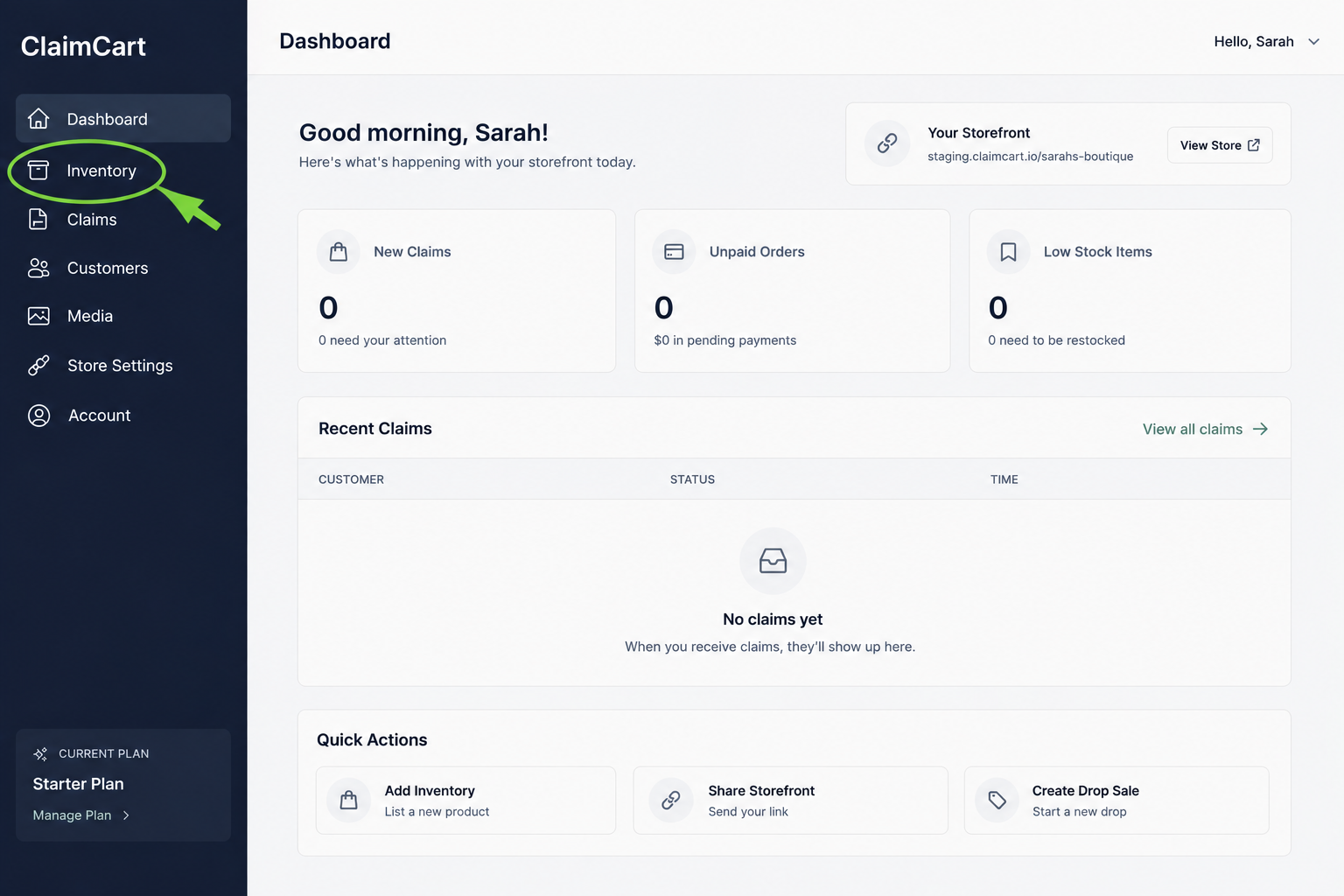
2. Select or Add a Product
You can contribute a new or existing product to the Community Catalog.
For a new product: Click + Add Inventory and enter your product details.
For an existing product: Open the product from your inventory and scroll to the bottom of the product page.
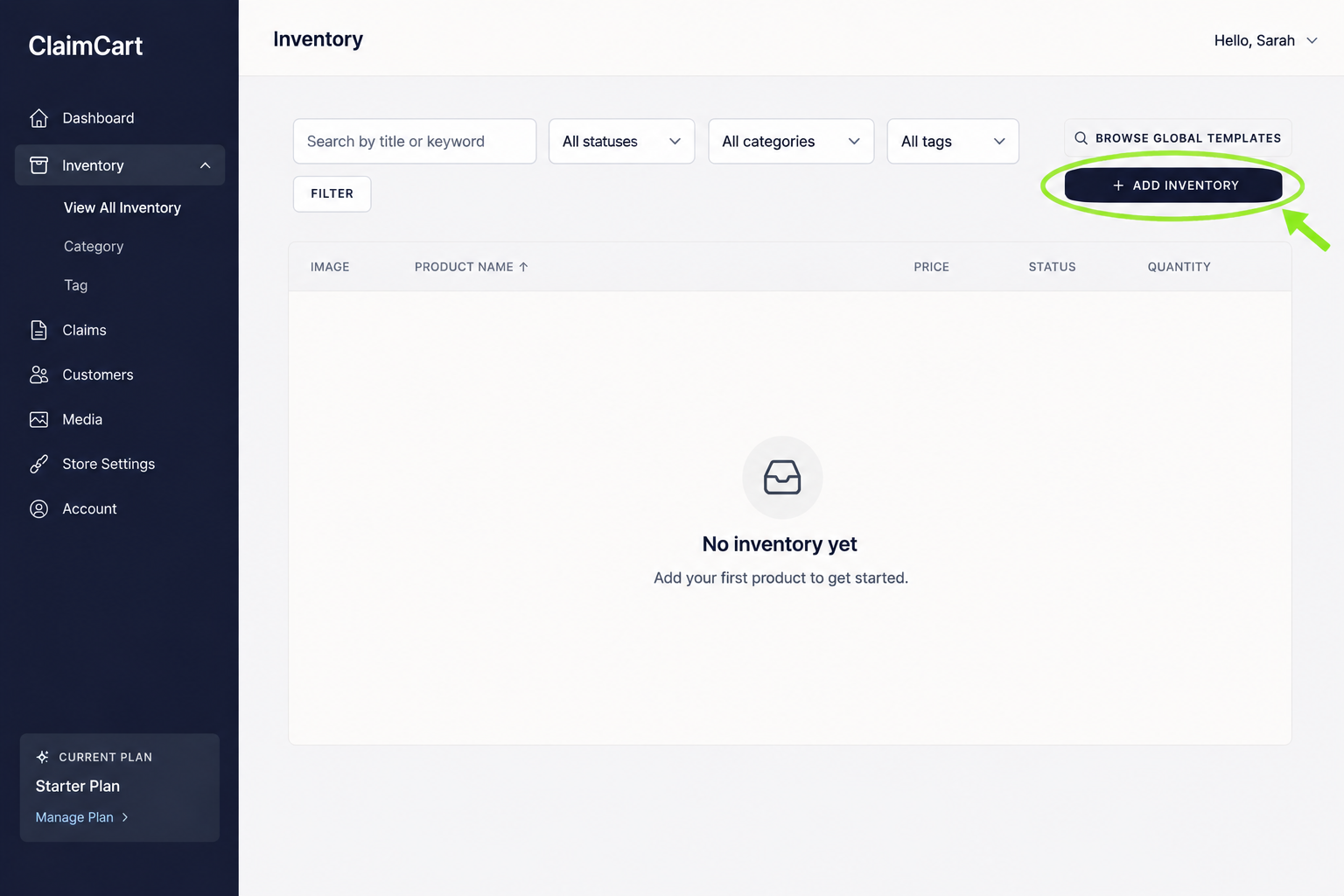
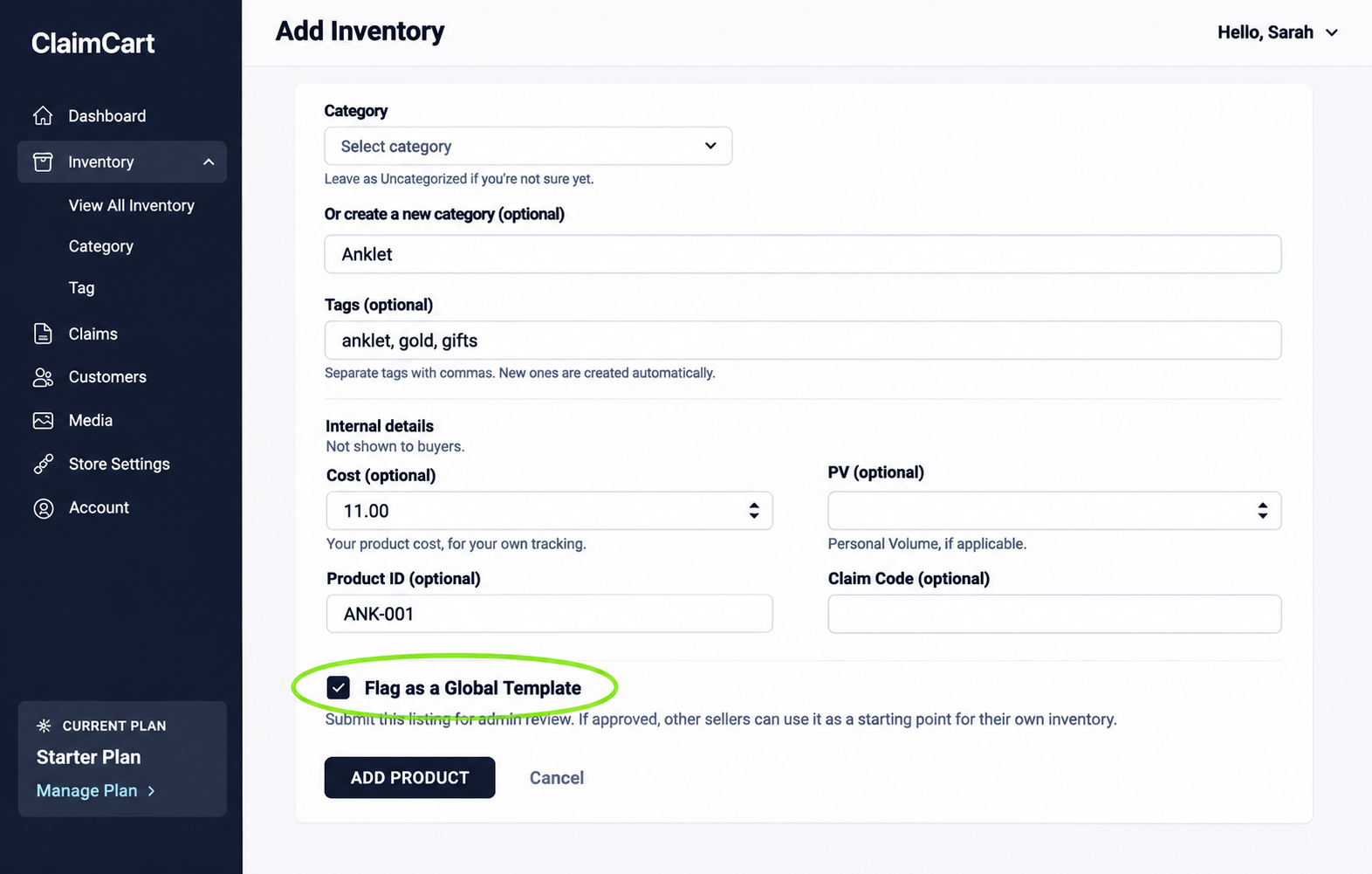
Scroll to the bottom of your product page and check the box labelled Flag as a Global Template.
Click Add Product for a new listing or Save Changes for an existing product. Your product will then be submitted to ClaimCart for approval before appearing in the Community Catalog.
3. Submit Your Product to the Community Catalog
4. Community Catalog Approval Process
All products submitted to the Community Catalog go through a quick review to ensure the required information is included.
The following four items are REQUIRED for approval:
Product Title
Product Description
Product Image
Price
Please also include the SKU and PV/PRV, if applicable. (not required)
Approval Times: Submissions may take up to 24 hours to be approved, Monday through Friday.
Please submit products before 5 p.m. PT on Friday for review before the weekend. Reviews resume Monday morning.
Important: Products missing any of the four required items may be rejected without notification.
Contribute & Earn Free Months
Help grow the Community Catalog by sharing your products! Our top contributors with approved submissions may be rewarded with free months of ClaimCart!
Don't See Your Company Listed?
Is your direct sales company missing from the Community Catalog? Contact our team to request that it be added.
Contact Support →Need Help With CSV Files?
Have a CSV file with your company's products? Our team can help upload your product files to get your Community Catalog started.
Contact Support →