Create Your Categories
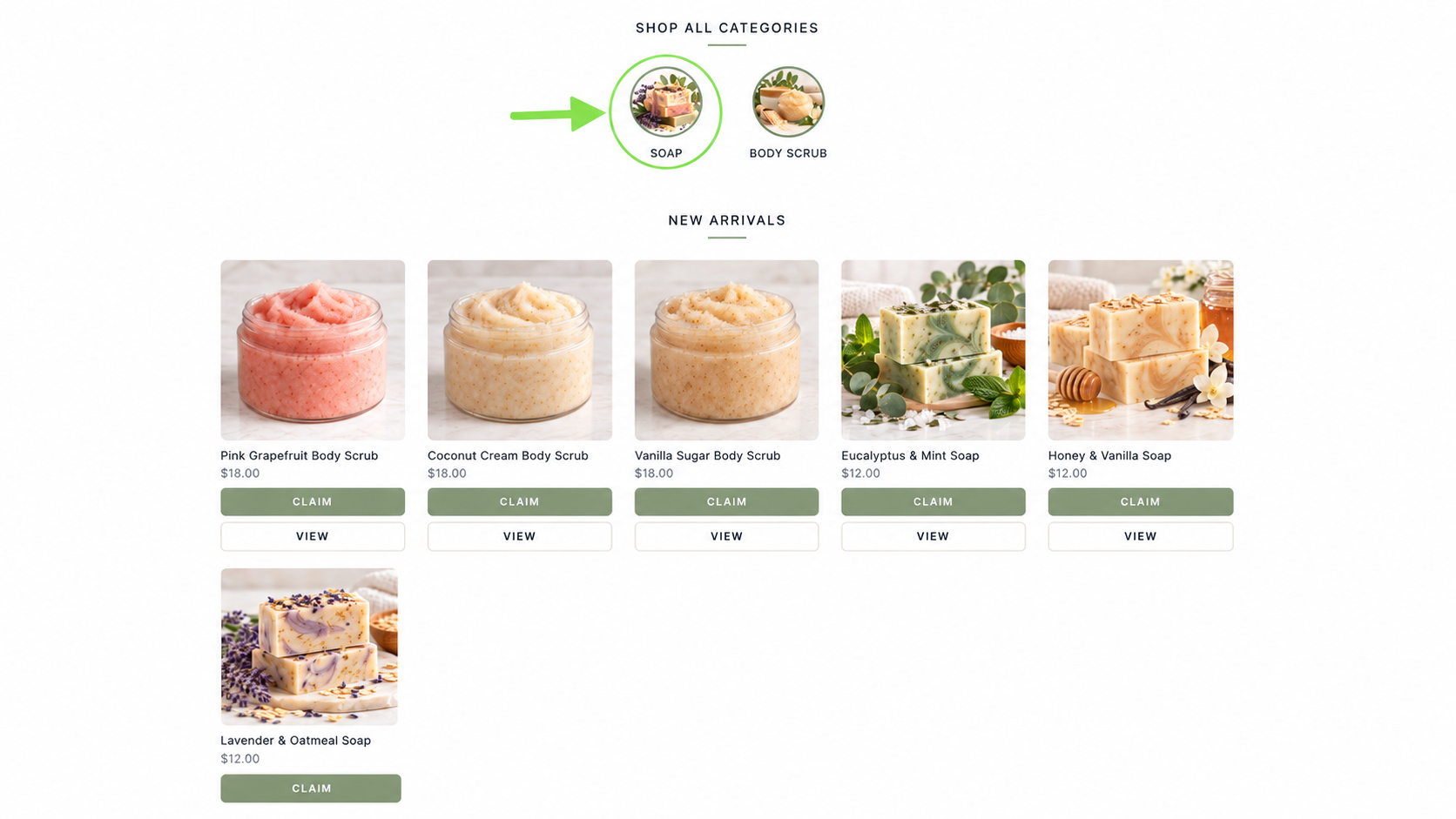
Categories help organize your products so customers can easily find what they're looking for. You can create categories such as Soaps, Body Scrubs, lotions, or Sale Items. Each category can have its own image that appears on your storefront.
Open Inventory in Your Main Menu
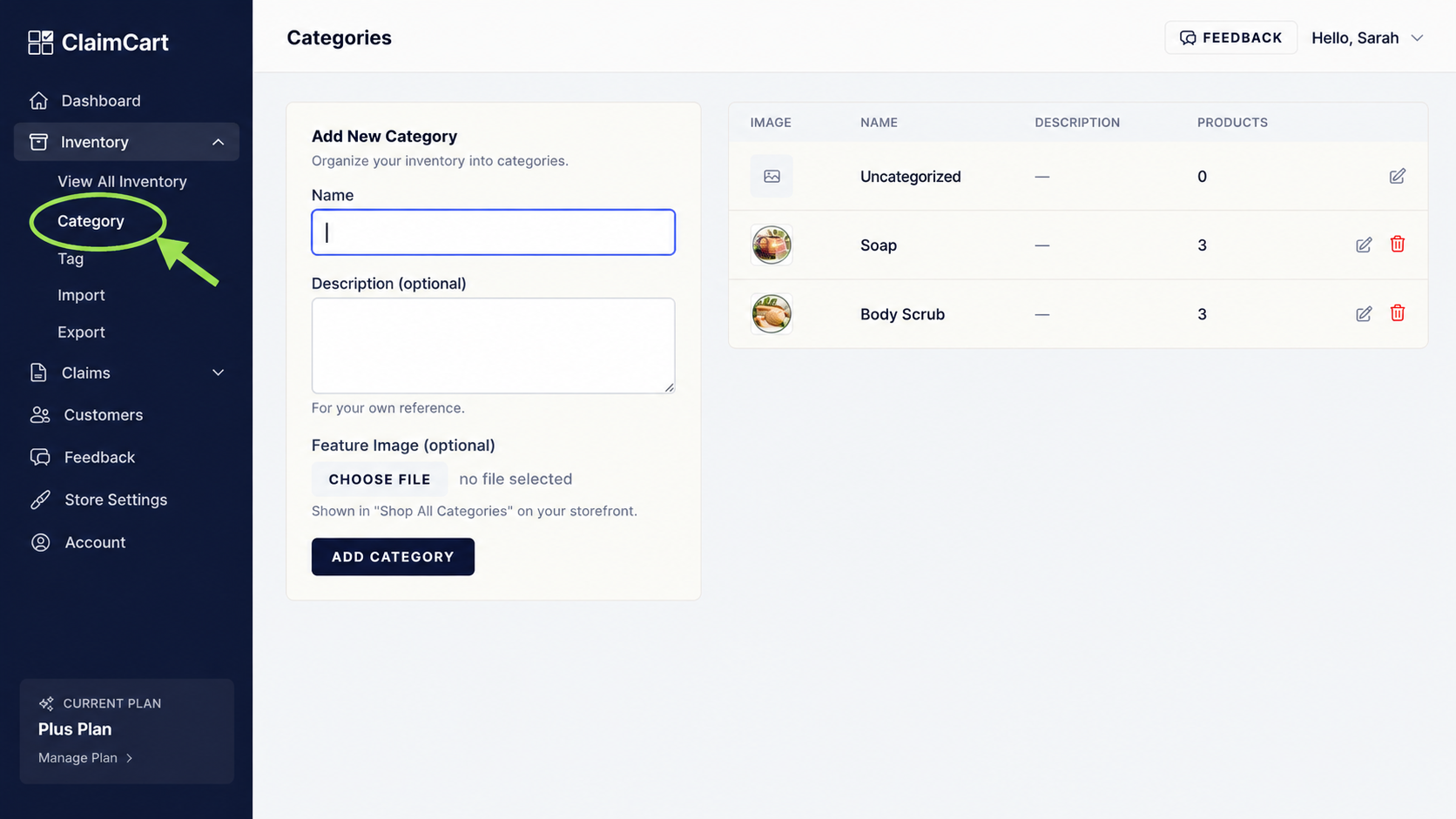
From your ClaimCart Dashboard, click Inventory in the left-hand menu, then select Category.
Enter a category name and upload an image to represent your category. Click Add Category to save it.
Your Store View
Your categories will appear on your storefront under Shop All Categories.
Customers can click a category image to browse only the products you've assigned to that category, making shopping easier and more organized.