
How to Find the Community Catalog
The ClaimCart Community Catalog makes it easy for direct sellers to find products shared by other sellers and add them to their own inventory without starting from scratch. Follow these simple steps to find and browse the catalog.
Our Community Catalog is Growing!
We're continually adding new companies and products to the Community Catalog. If you don't see your company or a product you're looking for, you can help us grow by submitting products or contacting info@claimcart.com .
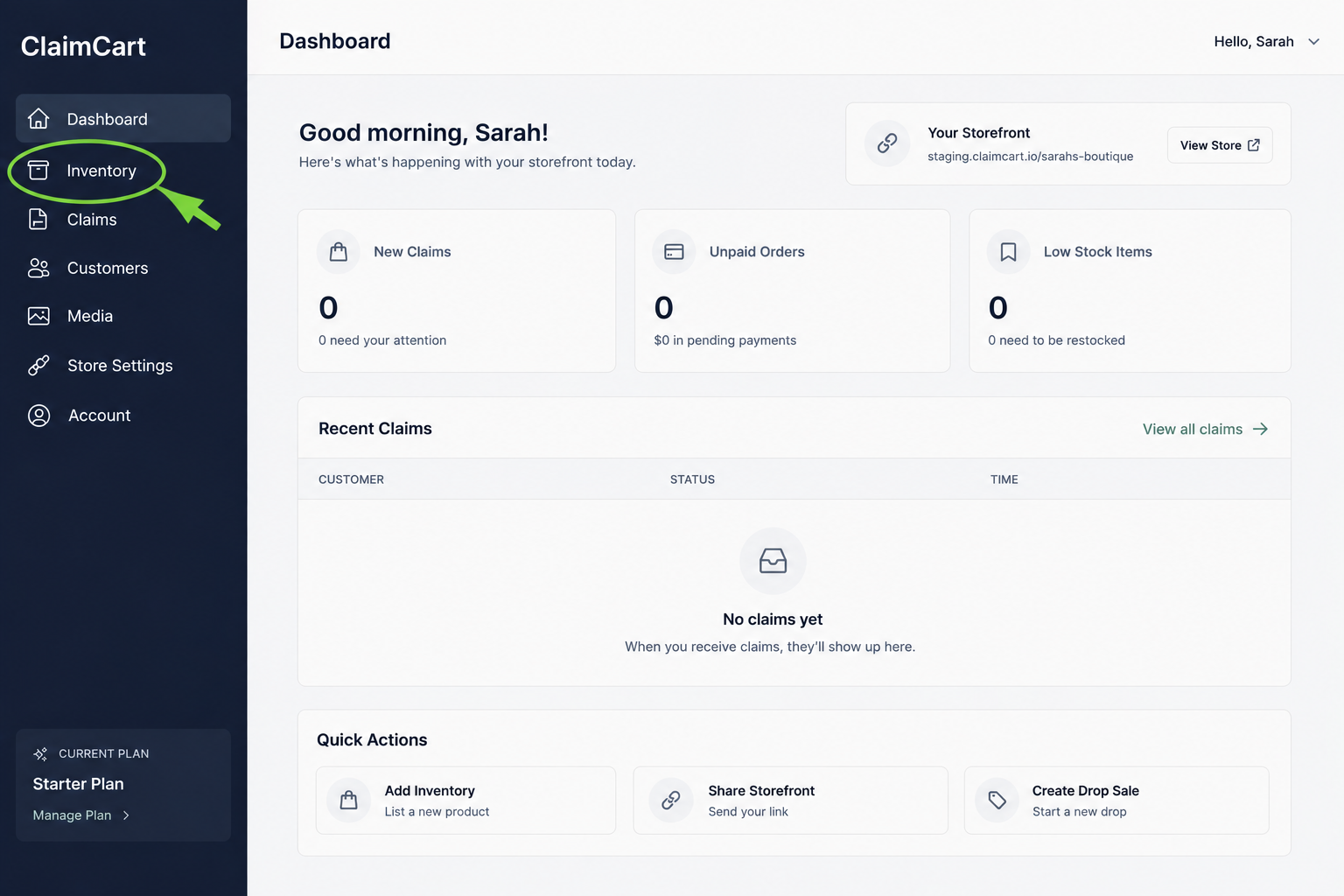
Go To Inventory
Log in to your ClaimCart account and click Inventory in the left-hand menu. Then select View All Inventory.
2. Browse the Community Catalog
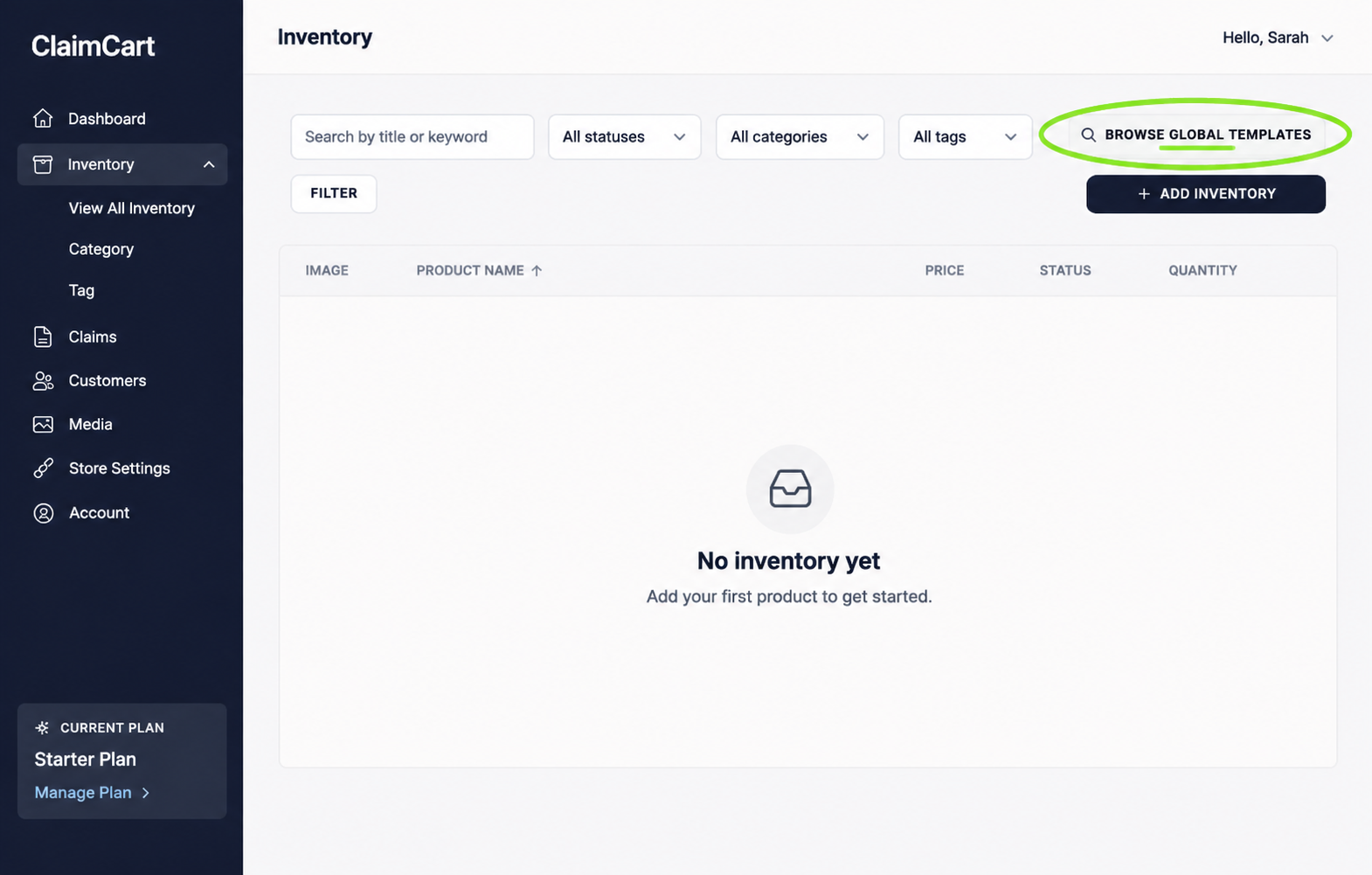
On your Inventory page, click Browse Global Templates in the top-right corner. This will open the Community Catalog, where you can browse products shared by other direct sellers.
Need Help?
Don't see your company listed in the Community Catalog? Contact us to learn how to get it added.
Need additional help? Our ClaimCart support team is happy to assist!